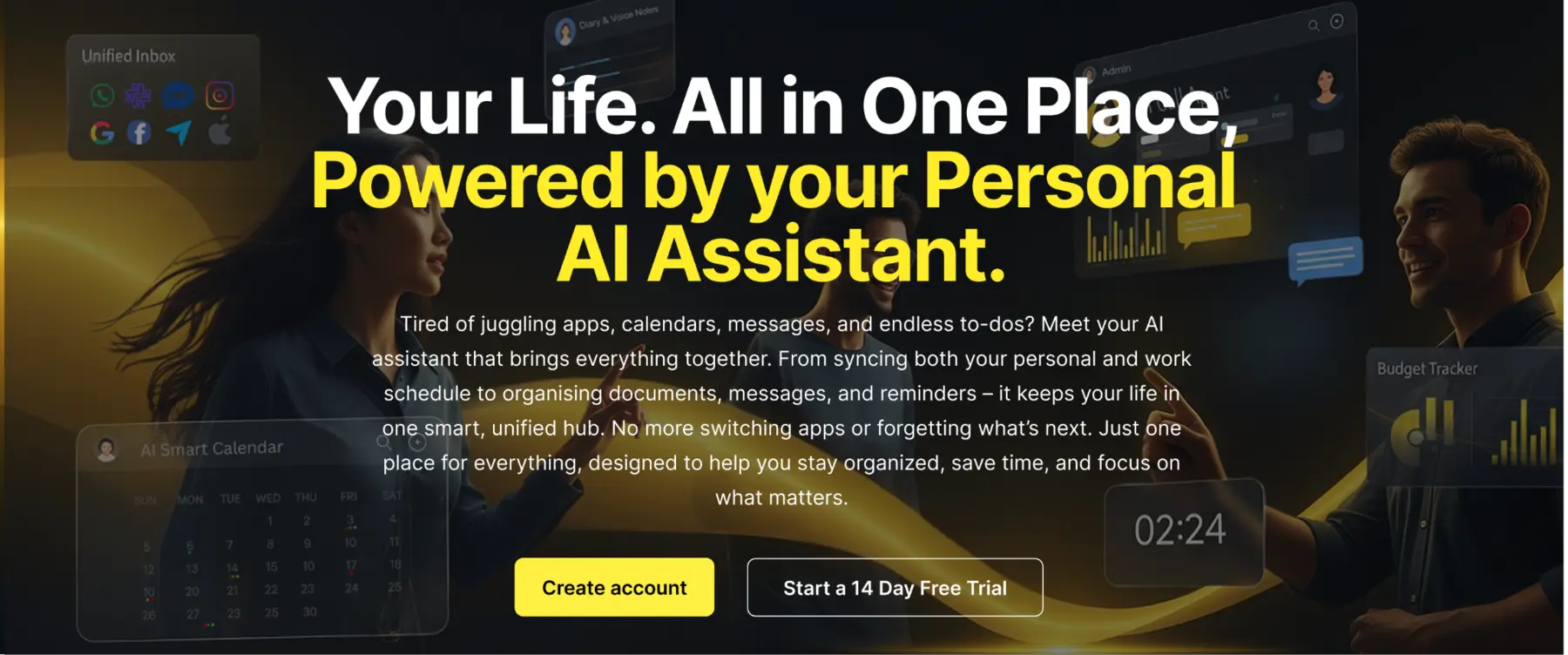
One connected workspace for work and everyday life.
Designed and built as one connected product across the website, web app and mobile client, backed by specialized AI, identity and communications services. The system combines document retrieval, multi-provider messaging, conversational calling and AWS-hosted backend services.
MeMyselfI.ai brings several substantial product areas together. The story below follows the work from the user-facing experience through the AI, communications, mobile, cloud and release layers.
01
One workspace for the moving parts of life
MeMyselfI.ai brings personal and business productivity into one connected product: messages, calendars, notes, budgets, documents and calls. The engineering challenge was to make these different jobs feel like one coherent workspace while allowing each capability to use the backend and interaction model that suited it.
A shared product identity across website, web app and mobile client
Personal and business contexts across several productivity domains
Feature routes that explain and expose each capability without fragmenting the product
02
Website: turn a broad product into a clear story
The marketing website introduces the platform, then gives its major capabilities space to explain their purpose. Dedicated landing pages cover the Unified Inbox, AI Voice Assistant and Call Agent, Smart Calendar, Diary and Voice Notes, Budget, Health Tracking and Vault. The page structure guides visitors from product discovery into features, pricing, testimonials and contact.
Next.js App Router, React 19, TypeScript and Tailwind CSS
Responsive navigation, feature dropdowns, carousels, pricing, testimonials and support content
Server-side enquiry delivery through a Next.js route and Resend
Separate privacy policy and terms pages for a product handling sensitive personal workflows
03
Web app: one interface across many workflows
The authenticated web application is the daily workspace for the platform. It brings the dashboard, assistant, inbox, calendar, calls, diary, vault, family sharing, budget and expenses into a consistent interface, with feature-specific components rather than one oversized page. Server data is handled separately from local interface state so loading, caching, refresh and mutations can be managed deliberately.
Next.js 15, React 19 and TypeScript with reusable shadcn/ui and Radix UI components
TanStack Query for API data, caching, refetching and mutation states
React Hook Form and Zod for structured forms and validation
Drizzle ORM and PostgreSQL support within the web application
04
Separate services for separate responsibilities
The platform is organized as independently deployable services: the web application, a FastAPI identity service, a Python AI service and a Node.js/Express Unified Inbox service. This keeps identity, AI orchestration and provider-specific communication logic in their own boundaries. Each service can evolve around its own APIs and data needs while the product presents a joined-up experience.
Next.js frontend connects to dedicated authentication, Python AI and Unified Inbox APIs
The mobile client uses the same backend services for its connected workflows
Typed API boundaries and separate service configuration reduce coupling between product areas
05
AI that routes work to purpose-built agents
The assistant is backed by an orchestration layer and agents organized around product domains, including calendar, diary, budget, expenses, inbox, information and insights. This makes the experience more than a chat window: requests can be handled in the context of the feature and user data they concern, with OpenAI Agents and LangChain supporting the AI layer.
FastAPI and Python service for assistant and agent workflows
OpenAI Agents SDK with configurable OpenAI models and embeddings
Conversation, session and activity state persisted by backend services
Assistant capabilities connect to information, scheduling and productivity features
06
Document intelligence with retrieval
Documents can be uploaded, processed into text, tagged with metadata and embedded for retrieval. When the assistant needs context, the relevant material can be retrieved and supplied to the AI workflow. Separate indexes support assistant, chat and call-agent knowledge, keeping retrieval context aligned to the task instead of searching one undifferentiated store.
Amazon S3 stores original documents and files
Processing includes extraction, chunking, metadata and embeddings
AWS S3 Vector indexes and FAISS support semantic retrieval
Call-agent business documents can supply context to voice conversations
07
Unified Inbox: provider integrations behind one surface
The Unified Inbox service connects email, collaboration and messaging providers through provider-specific OAuth, API, webhook and IMAP flows. Gmail, Outlook, Yahoo Mail, Slack, Facebook, Instagram, WhatsApp and SMS are handled in the Node.js service, keeping provider tokens and synchronization state on the server. Socket.IO supports real-time updates; webhooks and Gmail push infrastructure reduce reliance on repeated client polling.
Node.js 22 and Express 5 with distinct provider modules
Gmail, Outlook, Yahoo Mail, Slack, Meta messaging and Twilio SMS integrations
DynamoDB tables hold provider state and tokens outside browser storage
Socket.IO, Meta/Twilio webhooks and Google Pub/Sub support event-driven updates
08
AI Call Agent: a complete voice workflow
The Call Agent combines telephony with conversational AI and business-specific knowledge. Twilio handles inbound and outbound call flows; the AI service prepares session context, retrieves business documents, transcribes speech, generates responses and returns spoken audio. Interruption handling supports more natural turn-taking, while summaries, call logs and meeting drafts make calls useful after the conversation ends.
Twilio Voice for phone numbers, inbound handling and outbound call workflows
OpenAI for conversational response generation, Whisper for transcription and ElevenLabs for speech
DynamoDB-backed call sessions and business profiles
Call-agent retrieval index, summaries, analytics, logs and meeting-drafting workflows
09
Mobile app: the same product in a native client
The Flutter and Dart client extends the platform across Android, iOS, web and desktop targets. It connects to authentication, assistant, diary, budget and vault services, and adds device capabilities such as speech input/output, file selection and biometric vault access. Calendar, inbox and call-agent screens carry those product workflows into the mobile experience.
Feature-oriented Flutter modules with Provider-managed theme and state
Authenticated API flows for account access, AI conversations, diary, budget, expenses and vault files
Speech-to-text, text-to-speech, image/file selection and biometric checks
Shared personal/business profile context across connected features
10
Identity and data designed for connected services
A dedicated FastAPI authentication service integrates AWS Cognito for signup, verification, login, recovery and token validation. Other services verify tokens and use service authorization for agent operations. Operational records, sessions and provider state use DynamoDB; original user files live in S3; Cognito owns identity. This keeps credentials and service state on backend boundaries instead of spreading them across clients.
AWS Cognito with boto3 and JWKS/JWT validation
DynamoDB for conversations, activities, scheduling, sessions, call records and provider state
Amazon S3 for uploaded files and documents
Service-to-service authorization for protected AI operations
11
Deployment: Vercel frontend, AWS backend
The deployment is split along the same service boundaries as the application. The Next.js frontend is hosted on Vercel. Backend services are containerized with Docker and deployed on AWS, including ECS with scaling and monitoring, while Cognito, DynamoDB and S3 provide identity, operational persistence and file storage. GitHub Actions workflows support repeatable service delivery.
Frontend deployment on Vercel
Backend services deployed on AWS ECS with scaling and monitoring
Dockerfiles for independently deployable backend services
GitHub Actions CI/CD workflows for backend repositories
AWS Cognito, DynamoDB, S3 and S3 Vector storage underpin the platform
12
SQA across services and user journeys
Quality checks focused on the points where a distributed product can fail: account access, authenticated API requests, file and document workflows, assistant responses, provider events, voice callbacks, responsive layouts and releases. Reviewing workflows across the web app, mobile client and backend services helps catch integration problems that isolated component checks cannot reveal.
Validate critical flows across web, mobile and service APIs
Check provider callbacks, authentication boundaries and file handling
Verify responsive layouts, error states and user feedback
Include deployment and configuration checks before release
13
UI/UX: make a large system feel understandable
The interface groups a broad capability set into familiar feature areas, then uses consistent components and interaction patterns across desktop and mobile. Feature-specific pages make complex tools easier to discover; dashboards provide a common starting point; theme support and responsive navigation keep the experience usable across screen sizes.
Reusable component system built with shadcn/ui, Radix UI and shared Flutter widgets
Responsive layouts, dropdown navigation, carousels and light/dark themes
Personal and business use cases presented within one product identity
14
SEO and product discovery
The marketing site gives individual capabilities crawlable routes and page-specific metadata, supported by sitemap generation. This lets the product explain specialist features such as unified communications, AI calling and smart scheduling with their own context while preserving the overall MeMyselfI.ai story.
Feature-specific titles, descriptions and keywords through the Next.js Metadata API
Dedicated routes for product capabilities and support content
next-sitemap support for search-engine discovery
15
Brand and visual assets
The project includes dedicated places for approved logo artwork, product screenshots and UI/UX or graphic-design exports. These assets can show the product itself alongside the architecture story as approved materials are added.
Theme-specific complete logo and symbol assets are used across the case study
Add approved website, web app and mobile screenshots in the gallery
Upload UI/UX and graphic-design exports to the listed project media paths
Project gallery
Approved screenshots and design exports can be added to the media paths shown below.